 fswitcher
 › Compare
fswitcher vs AltTab: two ways to switch on a Mac
If you're comparing fswitcher and AltTab, you probably want more from Command-Tab than macOS gives you. This page puts the two side by side and lays out what AltTab's free version and Pro include. We make fswitcher.
The short version
- fswitcher (our app) is built for multiple displays, with a switcher on each one. It replaces Command-Tab with the same look, switches by app, by window, or both, and groups your windows by desktop and full-screen app. It's $14.99 one time.
- AltTab is free and open source, with a thumbnail of every window and lots of settings. It runs on macOS 12 or later, and its paid Pro version adds search, more styles and extra shortcuts.
Switching by app or by window
Both can switch by app or by window. fswitcher is built around app tiles, the way Command-Tab works, and adds window tiles. AltTab is built around a list of windows, and a setting can show one window per app instead.
| fswitcher | AltTab | |
|---|---|---|
| By app | App tiles on ⌘ tab | One window per app on ⌥ tab (a setting) |
| By window | Window tiles on ⌘ tab | All windows on ⌥ tab (the default) |
| Both | Hybrid: apps on ⌘ tab, windows on ⌥ tab | A second shortcut with its own setting (Pro) |
fswitcher: app tiles, window tiles, or both
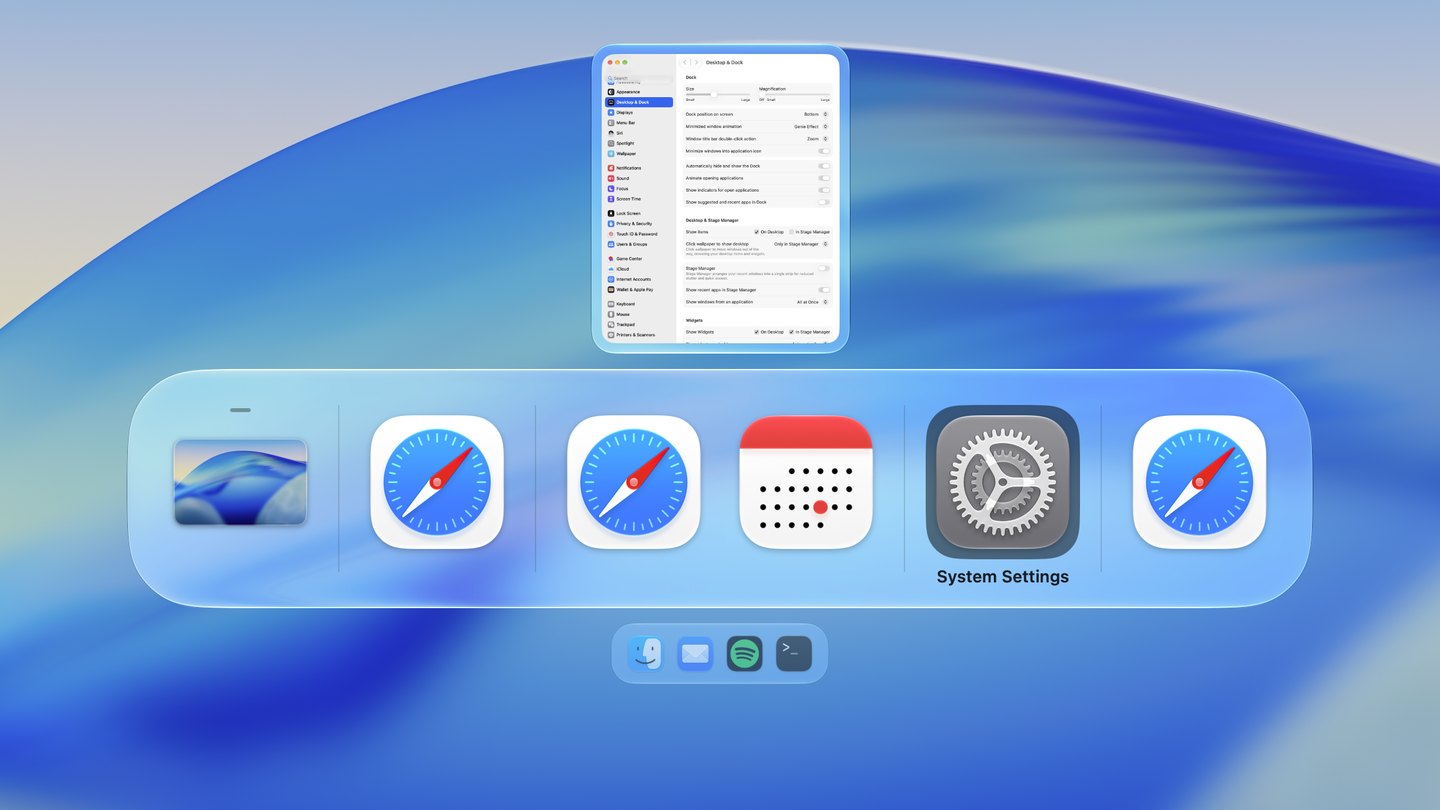
- ⌘+tabapps
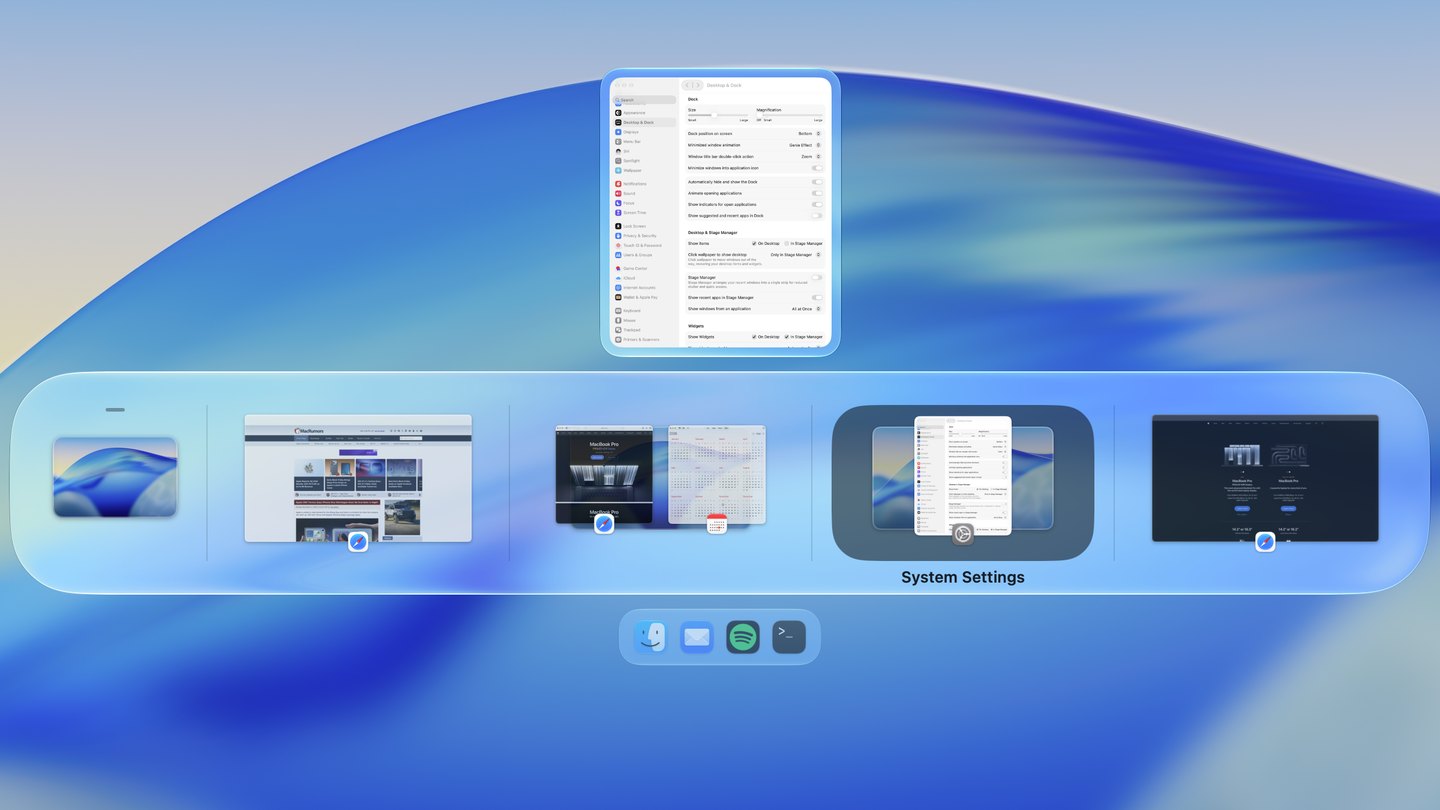
Each desktop is one tile, with its windows where they sit.
- ⌘+tabwindows
- ⌘+tabapps
- ⌥+tabwindows
AltTab: a list of windows
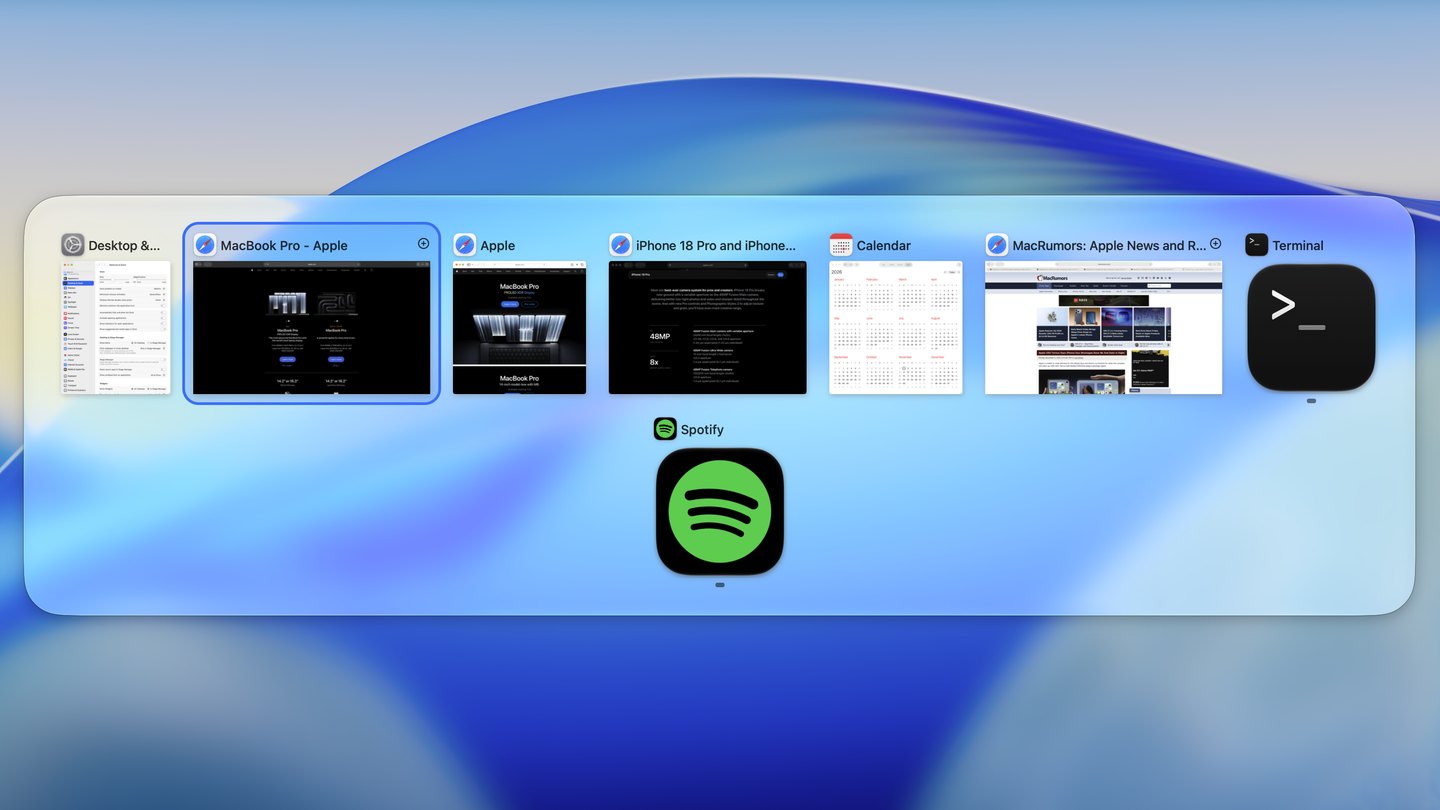
- ⌥+tabwindows
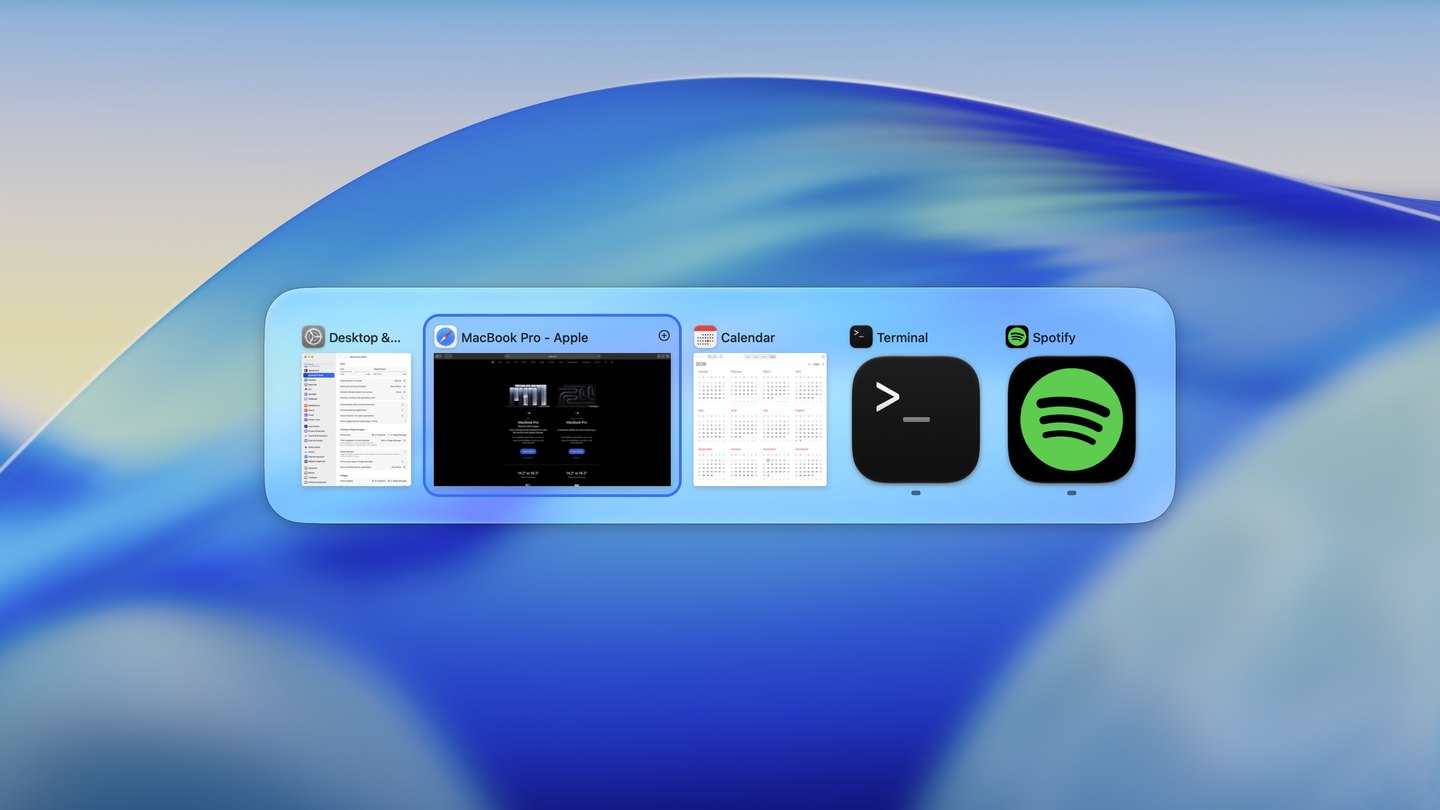
- ⌥+tabapps
fswitcher vs AltTab, feature by feature
Each feature side by side: whether fswitcher has it, whether AltTab has it, and how each one does it.
A switcher on each display fswitcher only
fswitcher
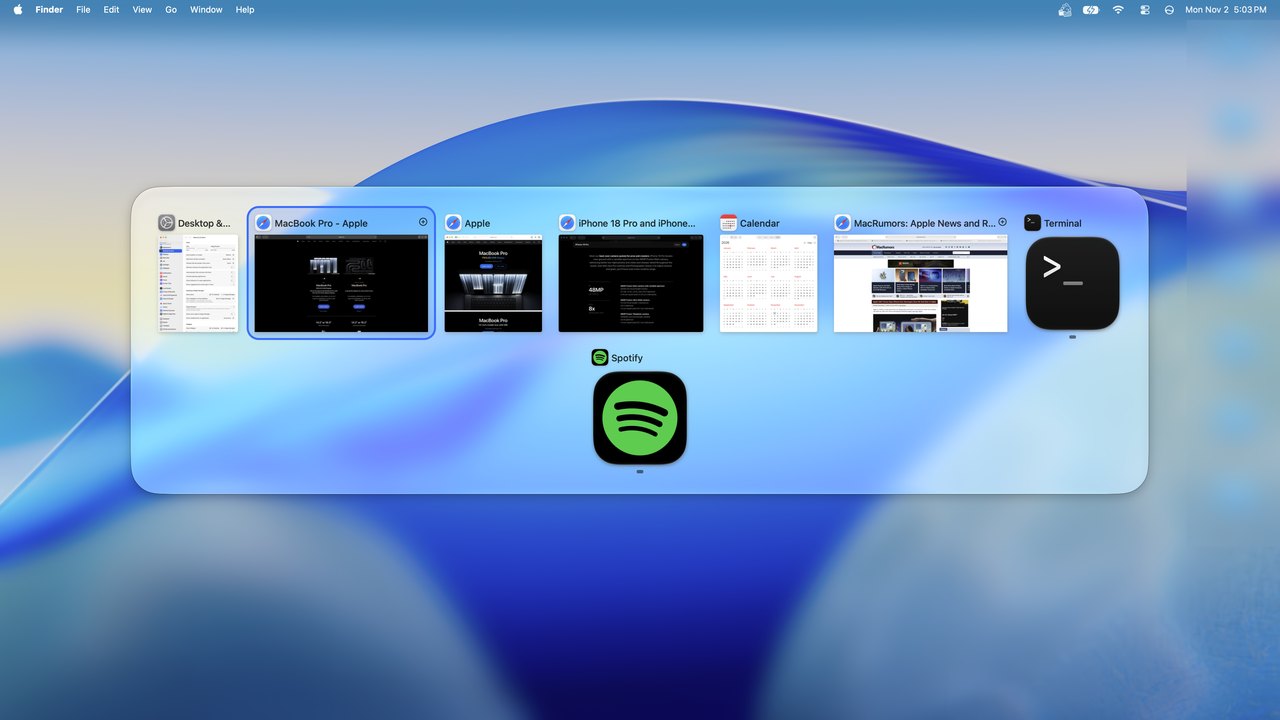
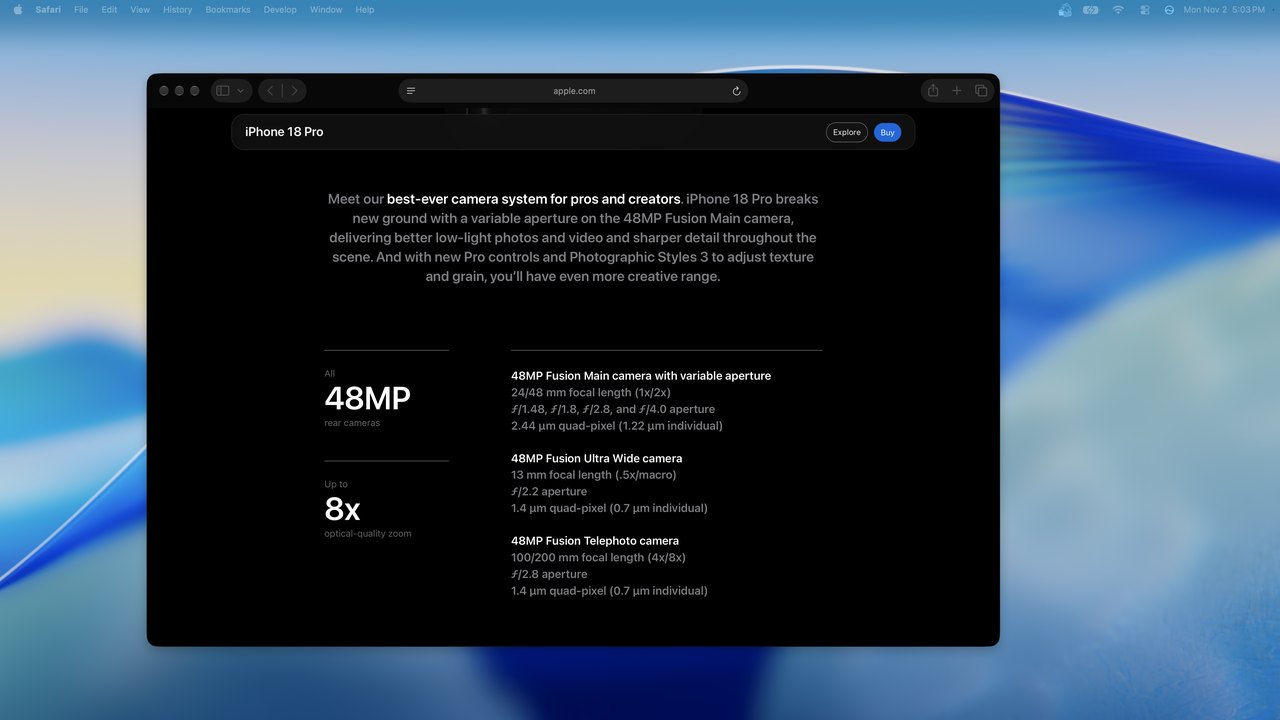
AltTab
fswitcher Yes
Each display gets its own switcher, so switching happens only on the display you're on and your other displays stay as they are. Tap fn to move to another display.
AltTab No
One switcher, shown on the active screen, or on the one with your mouse or menu bar.
Windows from every desktop Both, differently
fswitcher
AltTab
fswitcher Yes
Grouped by display, desktop and full-screen app, so you see where everything is before you switch. Tap ⌥ to jump to the next desktop.
AltTab Yes
All in one list. A setting labels each window with its desktop number.
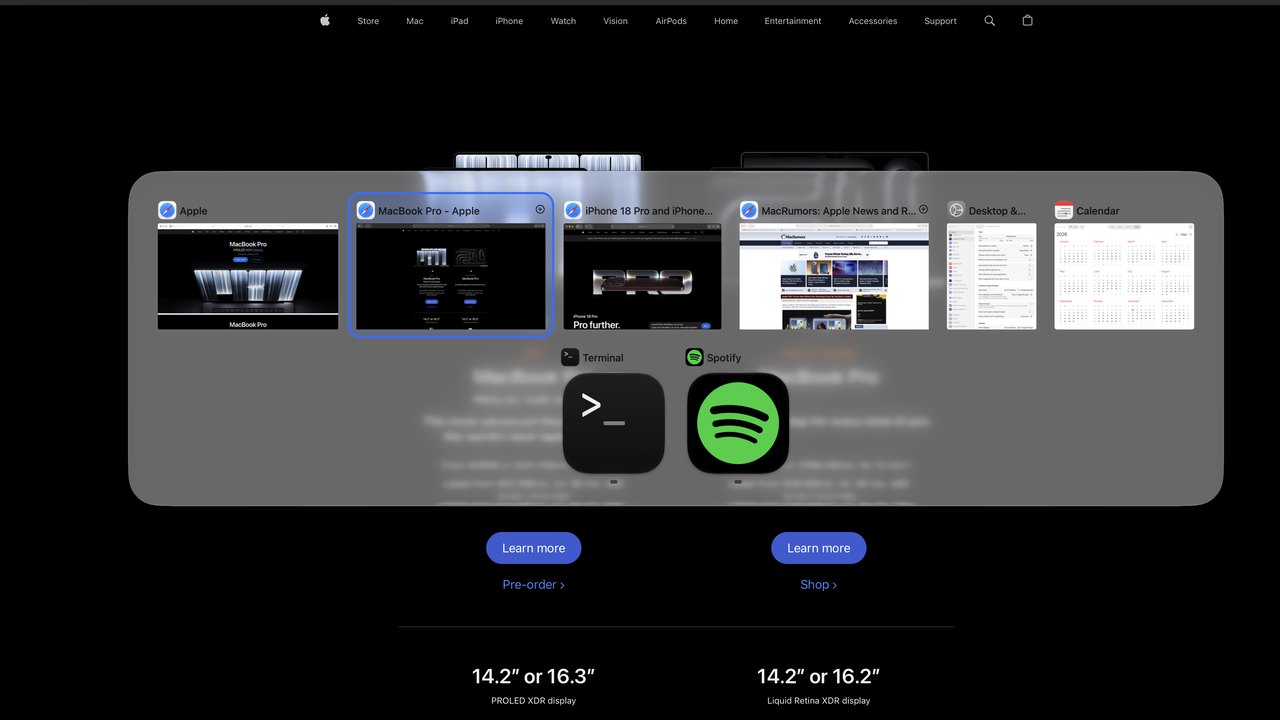
Window previews Both, differently
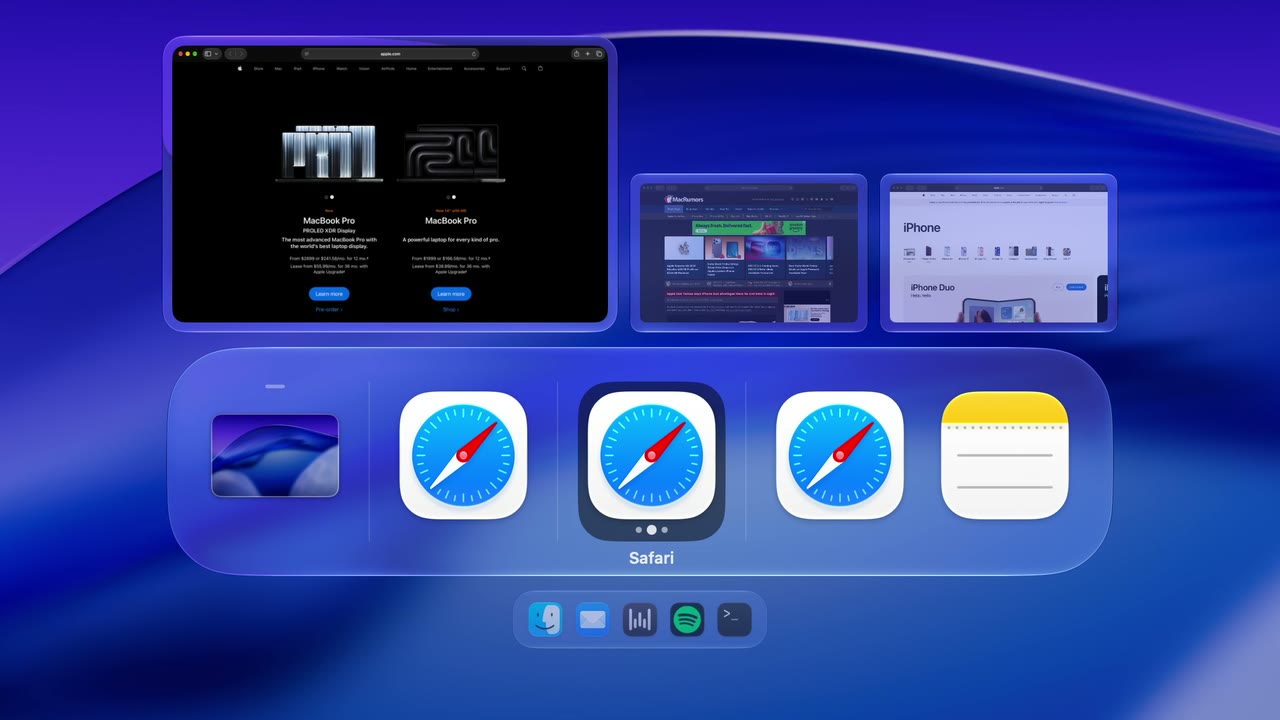
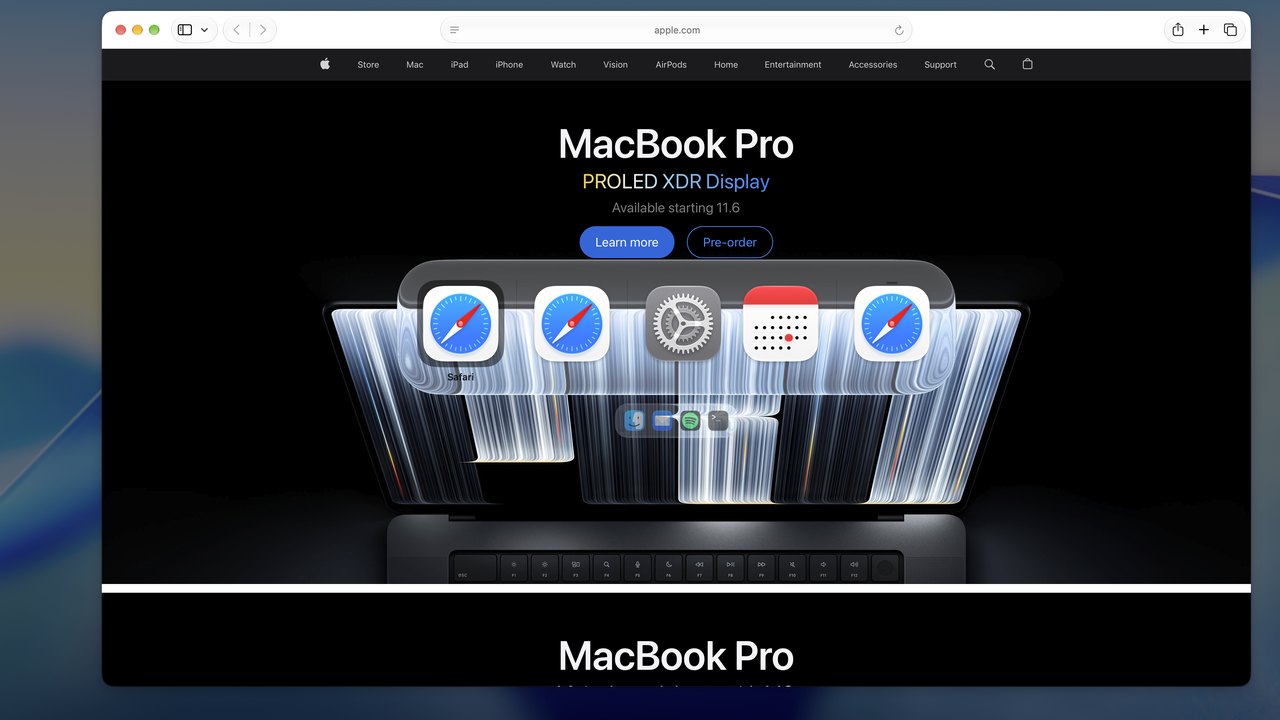
fswitcher
AltTab
fswitcher Yes
A live thumbnail of each of the selected app's windows, or a full-screen preview right where it sits. Or turn previews off.
AltTab Yes
A thumbnail of every window as you switch, and an optional preview of the selected one.
Search AltTab only
fswitcher No
No search. You pick an app, a desktop, or a window by its number, or an app by its first letter with Instant Switching.
AltTab With Pro
Type part of a window or app name to find it.
Switch to an app by its first letter fswitcher only
fswitcher Yes
With Instant Switching on, a quick right ⌘ S goes straight to Safari, with no switcher. Hold right ⌘ and the switcher shows only the apps starting with that letter. Tap the letter again to step through their windows.
AltTab No
Not available. Its Pro search finds a window by typing its name.
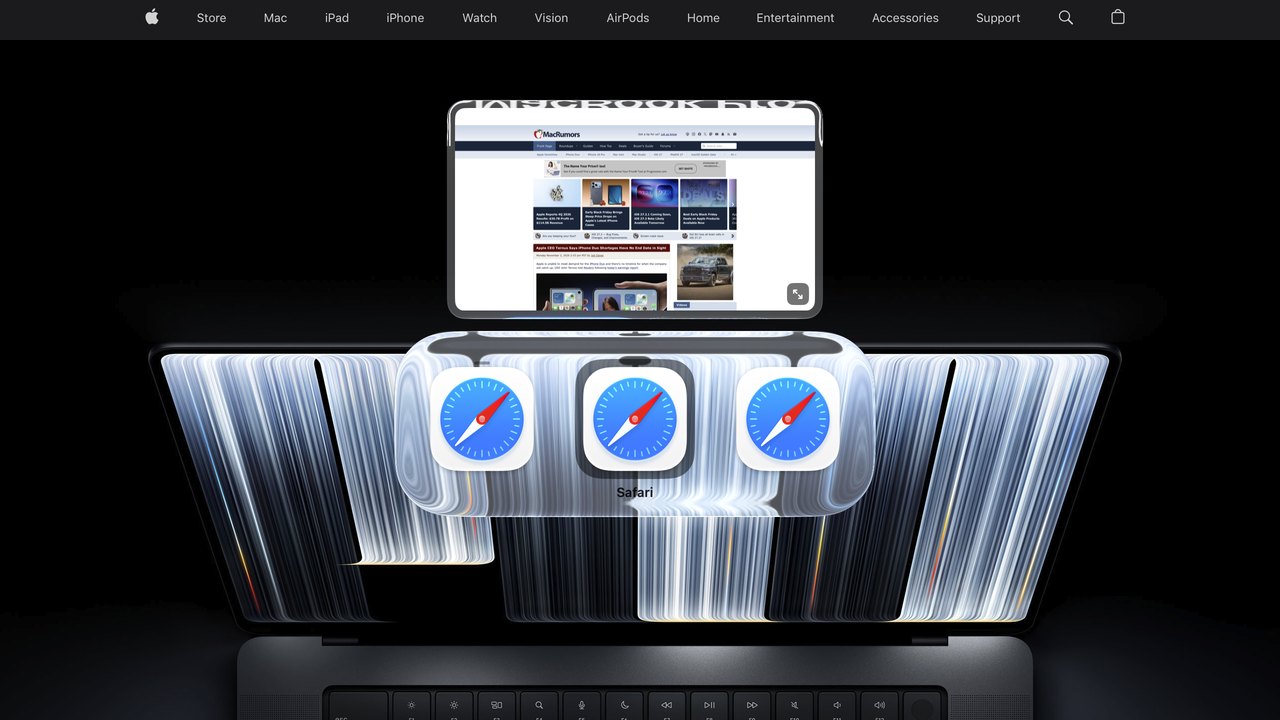
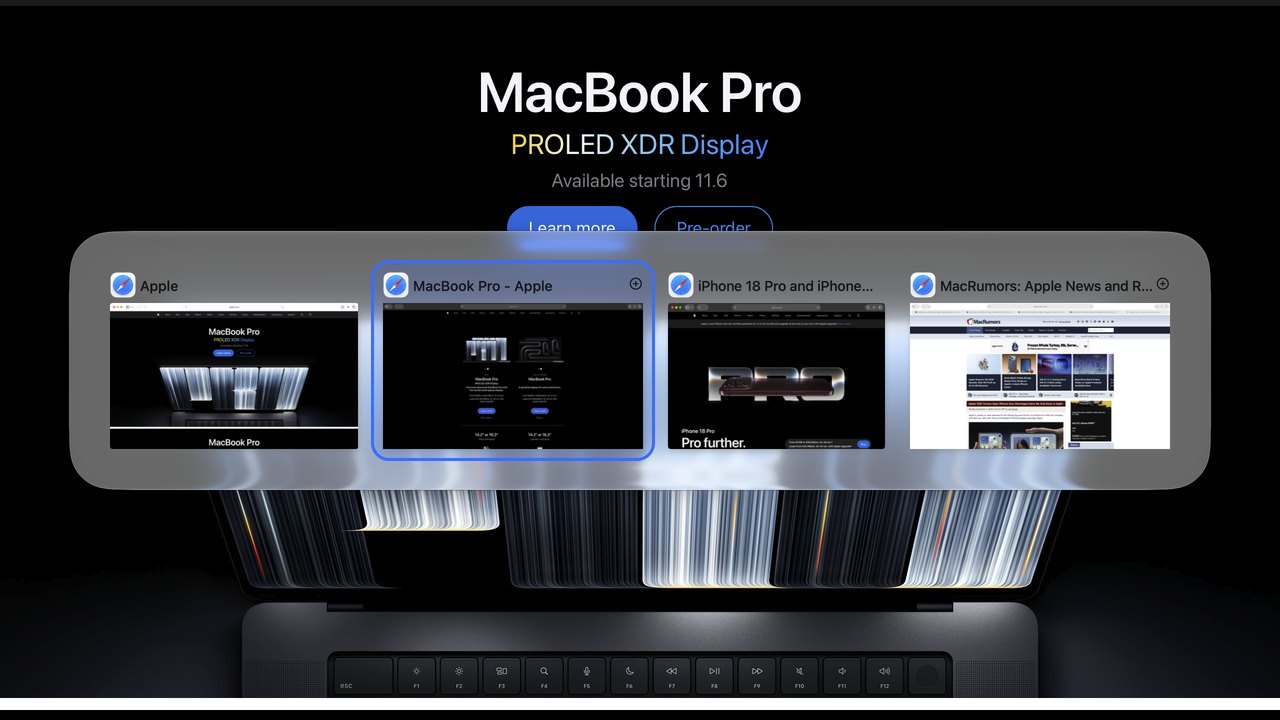
Switch between one app's windows Both
fswitcher
AltTab
fswitcher Yes
Press ⌥ ` for a switcher with only the current app's windows, and keep tapping ` to cycle through them. Or tap ` while the switcher is open, with a thumbnail of each window above it.
AltTab With Pro
A second shortcut, ⌥ `, for the current app's windows.
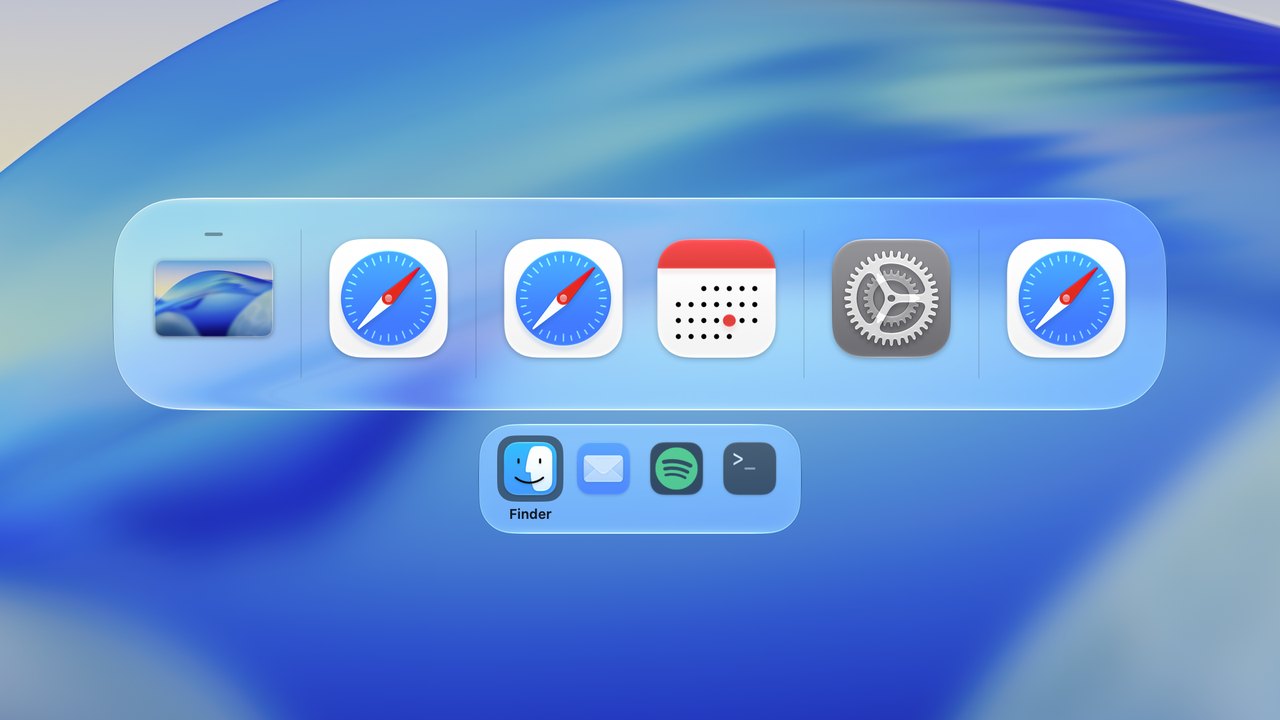
Apps without windows Both, differently
fswitcher
AltTab
fswitcher Yes
In a row of their own, out of your way. They're a tap of ⌃ away.
AltTab Yes
At the end of the list, or hidden with a setting.
Minimized windows Both, differently
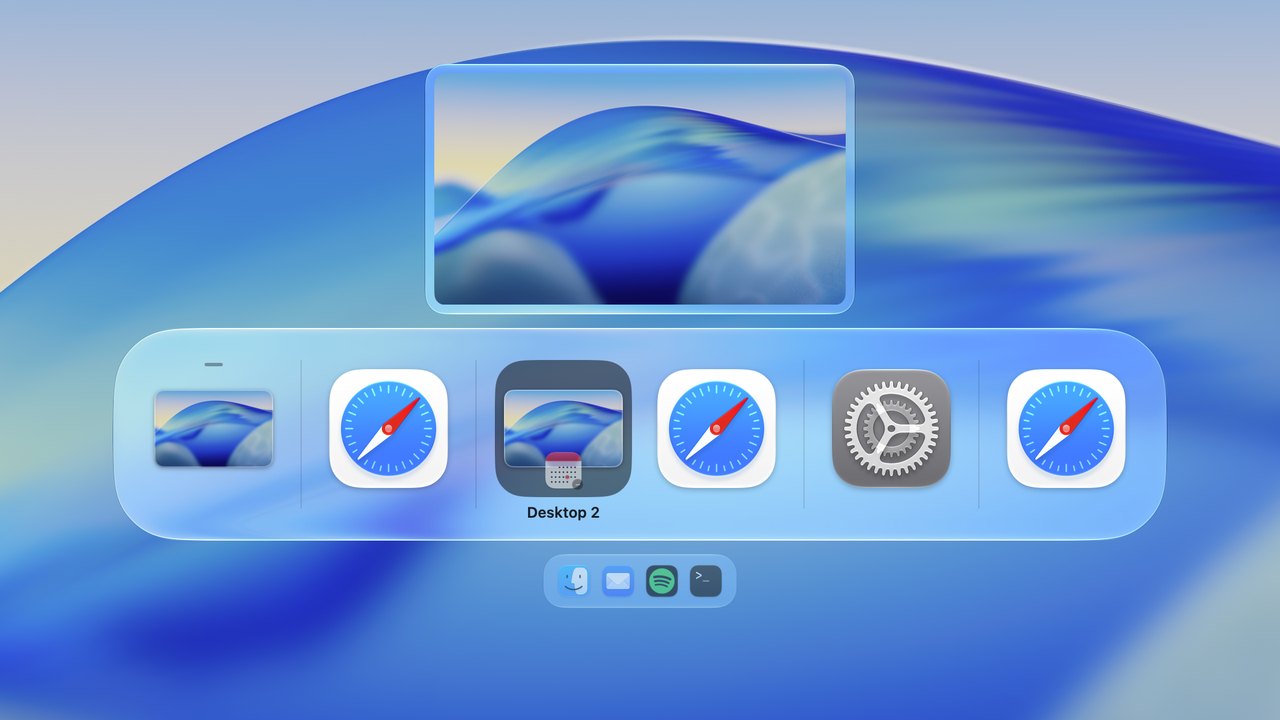
fswitcher
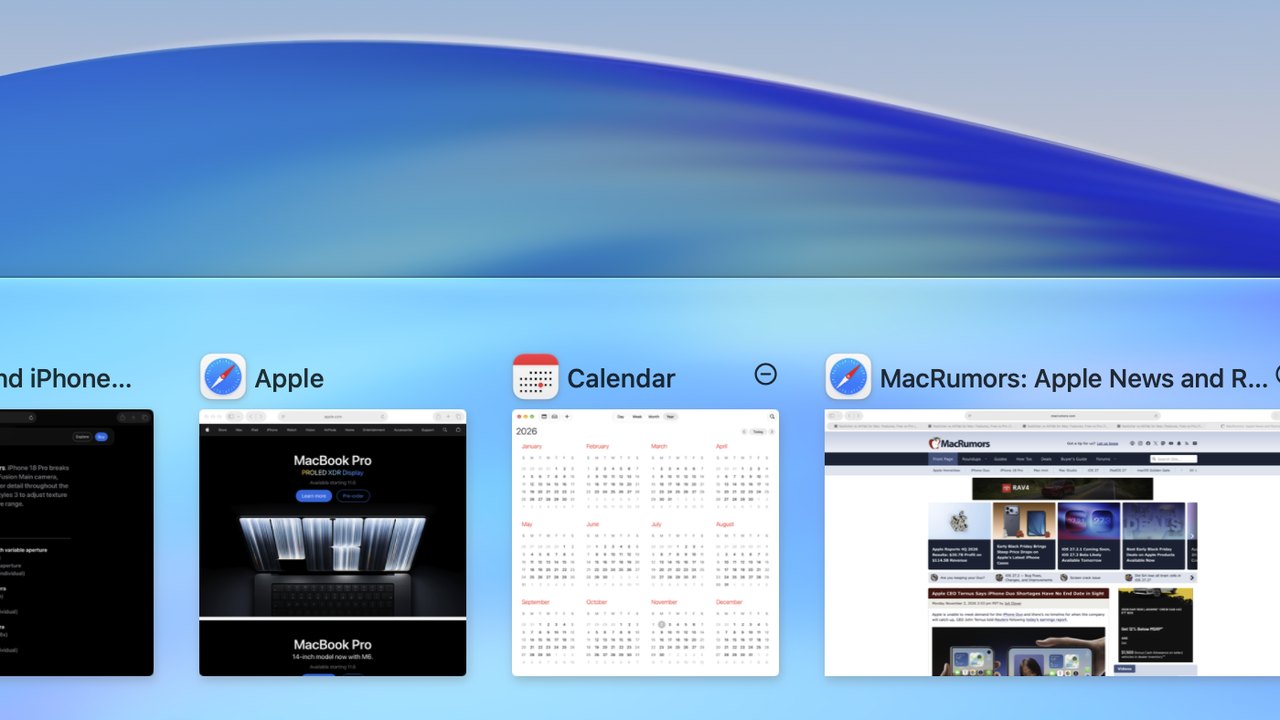
AltTab
fswitcher Yes
Tucked in small beside the desktop they belong to, so they're out of the way of your open windows but still there. Switch to one as usual and it's restored.
AltTab Yes
All shown together in the list, alongside your open windows, each with a small minimized icon. A setting can move them to the end or hide them.
Styles and settings Both, differently
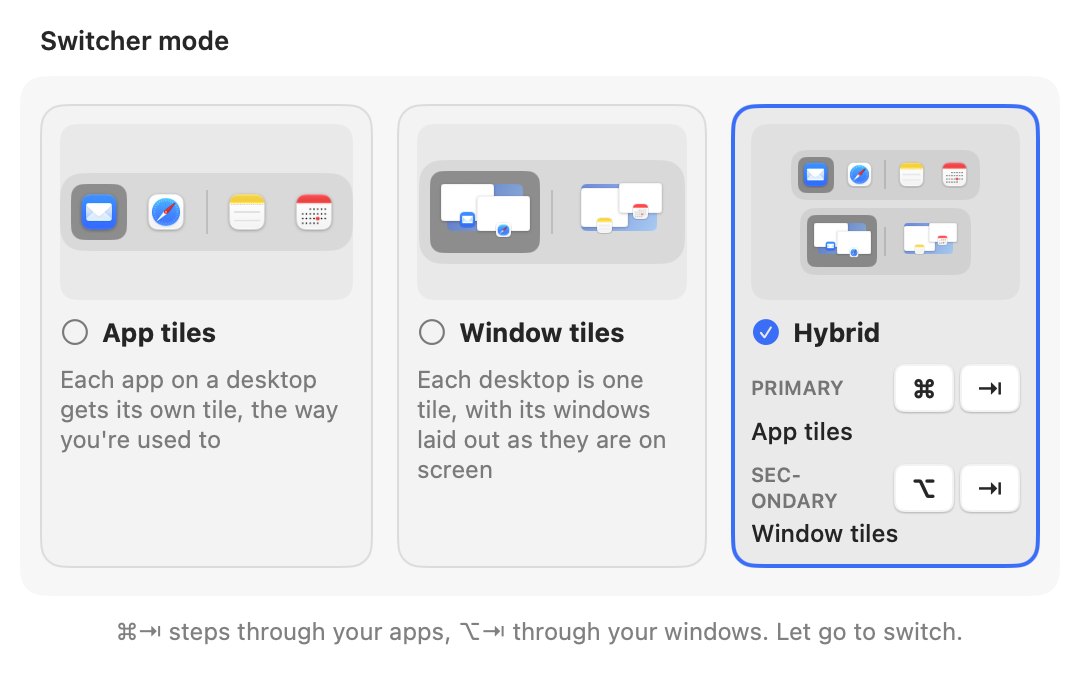
fswitcher
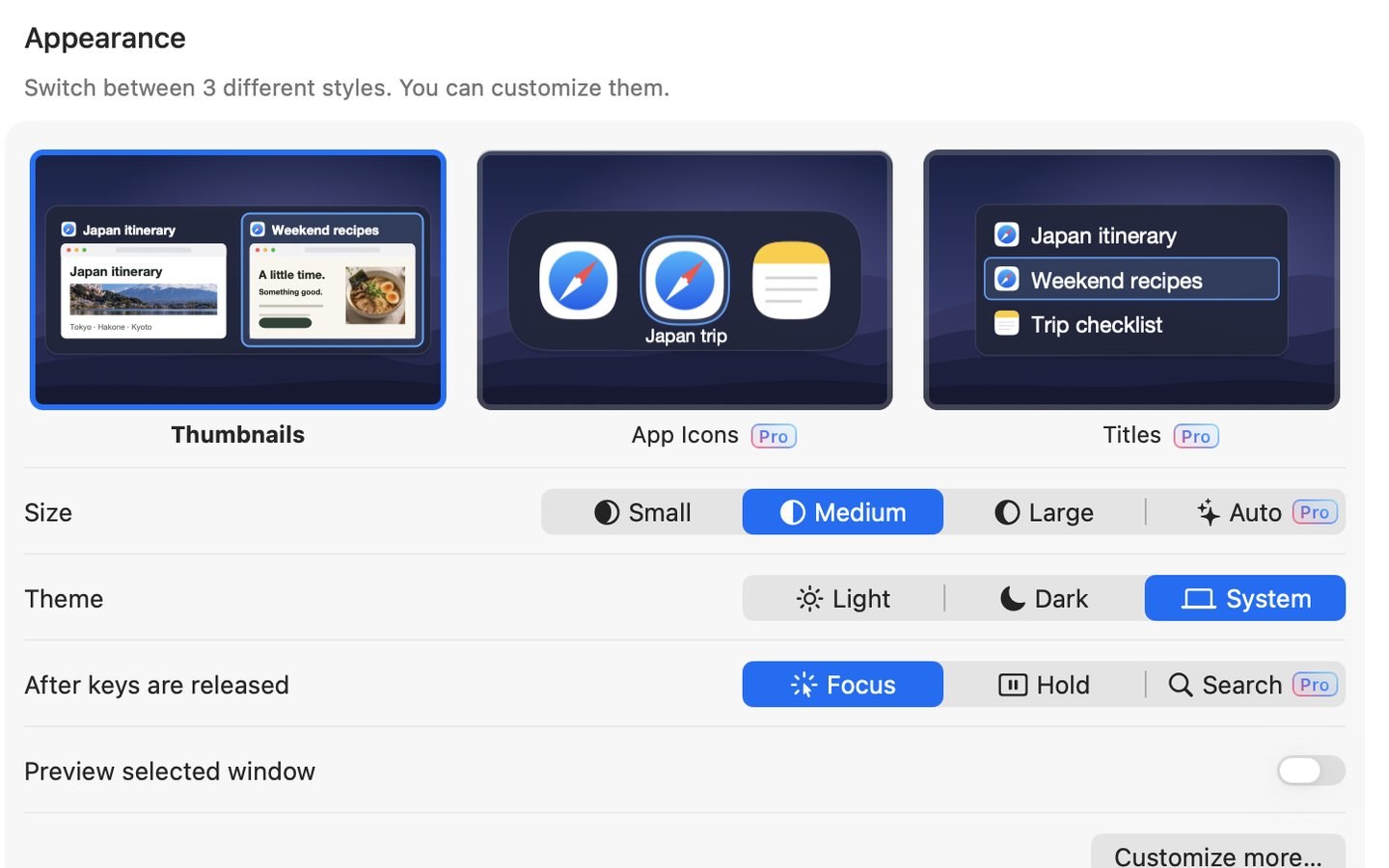
AltTab
fswitcher Yes
Matches the switcher built into macOS and follows your Liquid Glass setting, so it looks like part of your Mac. Choose app tiles, window tiles or Hybrid, set up gestures and hot corners, pick a preview style, and more.
AltTab Yes
Three styles (two with Pro), up to 9 shortcuts with their own filters (Pro), exceptions for apps, and choices for theme and size.
Hot corners fswitcher only
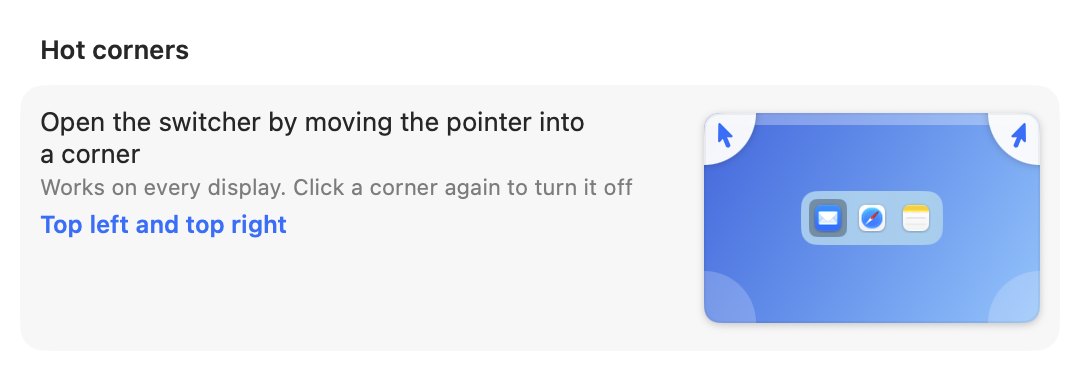
fswitcher Yes
Open the switcher from a corner of any display.
AltTab No
Not available.
Trackpad gesture Both, differently
fswitcher
AltTab
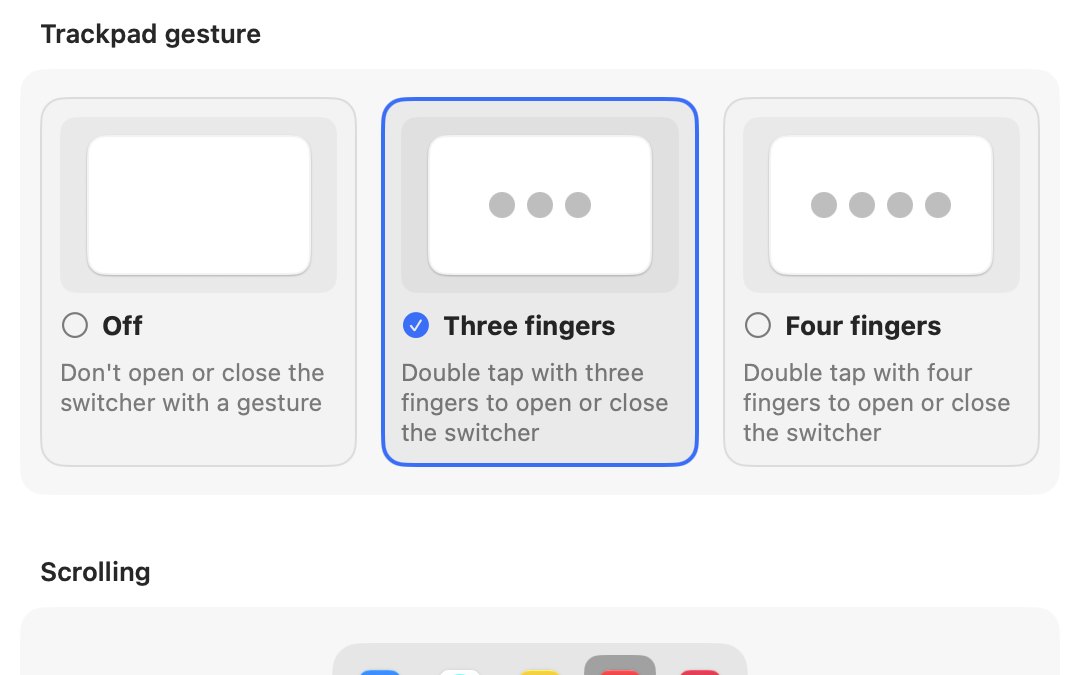
fswitcher Yes
A three- or four-finger double-tap opens it. Scroll along the tiles, up into an app's windows, and down to the apps without windows, then click where you want to go.
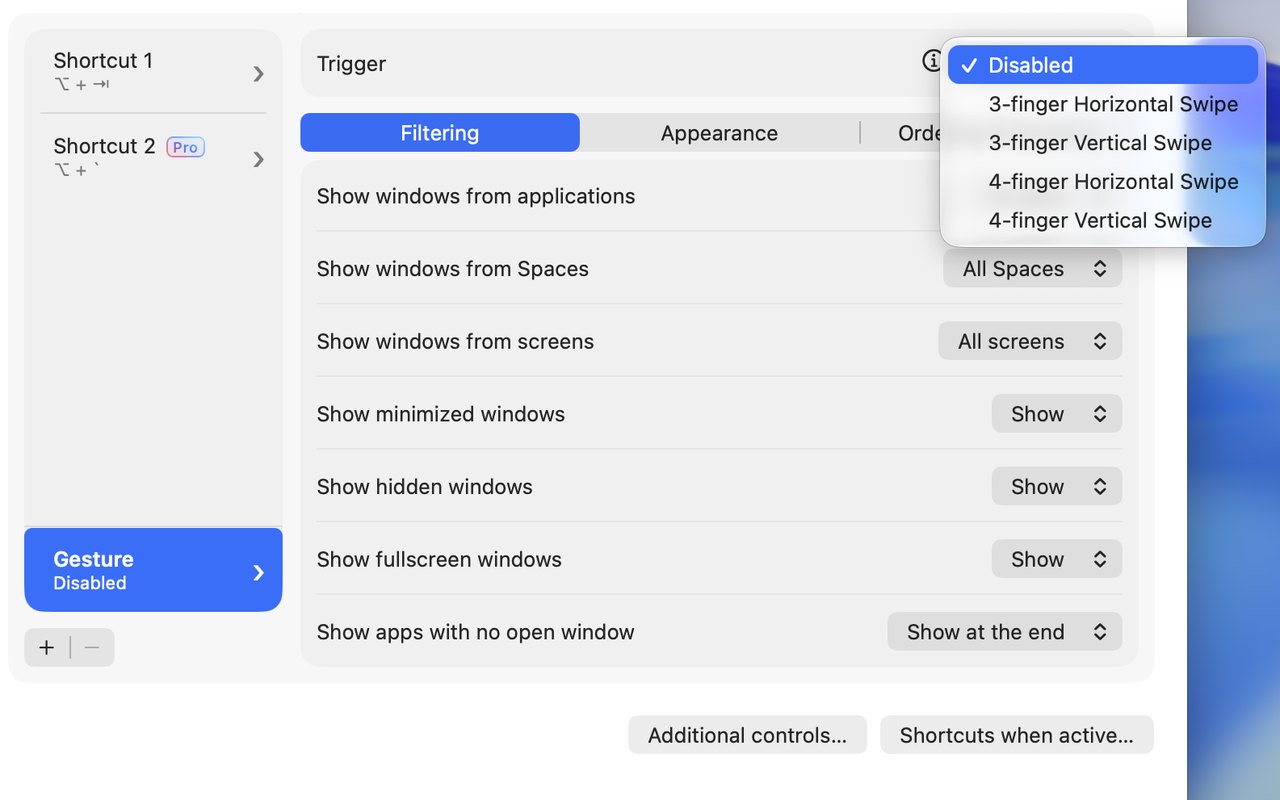
AltTab Yes
A three- or four-finger swipe, horizontal or vertical, that you turn on in its settings.
Quit, hide, close, minimize, full screen Both, differently
fswitcher Yes
Q H W M, and ↑ ↓ to enter and leave full screen.
AltTab Yes
Q H W M, and F to enter or leave full screen.
A free version AltTab only
fswitcher No
A 7-day free trial, then $14.99 one time for up to 3 Macs.
AltTab Yes
Free, with a paid Pro version. What Pro adds.
Open source AltTab only
fswitcher No
Not open source.
AltTab Yes
Its source code is public.
Older versions of macOS AltTab only
fswitcher No
Needs macOS 26 or later.
AltTab Yes
Runs on macOS 12 or later.
Intel and Apple silicon Macs Both
fswitcher Yes
Works on both.
AltTab Yes
Works on both.
Languages More in AltTab
fswitcher
English.
AltTab
21 languages.
Details about AltTab are to the best of our knowledge as of October 2026, from alt-tab.app and AltTab's own settings, and may have changed since.
AltTab free vs Pro
AltTab has a free version and a paid Pro version. After a 14-day trial of Pro, the free version keeps working. Here is what each includes.
Free:
- Window switching with live thumbnails
- Every window of an app, on every desktop and display
- Minimized and hidden windows
- Dark mode, a preview of the selected window, and trackpad gestures
- Open source, with no tracking
Pro adds:
- Search: type part of a window or app name to find it
- The App Icons and Titles styles
- Auto-sized thumbnails
- Up to 9 shortcuts
As of October 2026, Pro is $9.99 one time and includes updates for the current major version. Pro Lifetime is $24.99 one time and includes every future update. A personal license covers 3 Macs.
fswitcher has one version, with all of its features included. It's $14.99 one time, with a 7-day free trial, and a license covers 3 Macs. It needs macOS 26 or later. More about fswitcher.
Trying fswitcher if you use AltTab
AltTab and fswitcher can use the same keys, so try them one at a time. Quit AltTab and turn off Start at login in its settings, then install fswitcher and use it for a few days with its 7-day free trial. To compare, quit fswitcher and open AltTab again.
Once you've decided, keep the one you like and take the other out of your Login Items. To use app tiles on Command-Tab and window tiles on Option-Tab, choose Hybrid when fswitcher's setup asks how you want to switch, or later in its Settings.
Related guides
If you run into issues with AltTab, these guides may help: when AltTab feels slow and when windows are missing from AltTab. For the switcher that comes with macOS, see Command-Tab showing on the wrong monitor and switching between windows of the same app.
FAQ
What's the difference between fswitcher and AltTab?
fswitcher replaces Command-Tab with the same look, switches by app, by window, or both, gives each display its own switcher, and groups your windows by desktop and full-screen app. AltTab is a free, open-source window switcher with a thumbnail of every window and lots of settings, on Option-Tab by default, and its Pro version adds search, more styles and extra shortcuts. See the full comparison on this page.
Is AltTab free?
Yes. AltTab has a free version and a paid Pro version. The free version includes window switching with live thumbnails, every window of an app on every desktop and display, minimized and hidden windows, dark mode, a preview of the selected window and trackpad gestures. Some features are paid: search, the App Icons and Titles styles, auto-sized thumbnails and extra shortcuts are part of Pro.
What does AltTab Pro add?
Pro adds search by typing part of a window or app name, the App Icons and Titles styles, auto-sized thumbnails, and up to 9 shortcuts. As of October 2026, Pro is $9.99 one time for the current major version, or $24.99 for Pro Lifetime, and a personal license covers 3 Macs.
Does fswitcher show windows, or only apps?
Both. App tiles work like the classic Command-Tab, and the switcher shows each app's windows. Window tiles show each desktop's windows where they sit. Use either one on Command-Tab, or choose Hybrid for app tiles on Command-Tab and window tiles on Option-Tab.
Does fswitcher work with more than one display?
Yes. It was built for multiple displays. Each display gets its own switcher, and switching happens only on the display you're on, so your other displays stay as they are. Tap fn while the switcher is open to move to another display.
Can I use AltTab and fswitcher at the same time?
It's technically possible, but we don't recommend it. The two can use the same keys, like Option-Tab and Option-`, so one press can trigger both at once. Stick to one at a time: quit one before you try the other.
How much does fswitcher cost?
$14.99 one time for up to 3 Macs, with no subscription, and a 7-day free trial.
Which macOS does fswitcher need?
macOS 26 or later.
Does fswitcher work on Intel Macs?
Yes, fswitcher works on both Intel Macs and Apple silicon Macs.
Comparing other switchers too? See our Witch alternatives and HyperSwitch alternatives pages.
AltTab is an open-source project, and fswitcher is not affiliated with it. AltTab's features and prices are described to the best of our knowledge as of October 2026, from alt-tab.app and AltTab's own settings, and may have changed since; see alt-tab.app for current details.