 fswitcher
 › Compare
HyperSwitch alternatives for Mac in 2026
The best HyperSwitch alternative depends on which half of it you used: the Command-Tab app switcher with window previews, the Option-Tab window switcher, or both. Here are the Mac app switchers that cover the same ground in 2026, how they compare, and which one to pick.
Last checked: .
Quick picks
- Same Command-Tab and Option-Tab split, built for multiple displays and desktops: fswitcher (our app; paid, macOS 26 or later).
- Closest free match to HyperSwitch: DockDoor (window previews on Command-Tab, a window switcher on Option-Tab).
- Free window switcher with thumbnails: AltTab (free tier; some styles need Pro).
- Paid, app-first, close to the native switcher: Command-Tab Plus.
- Lists, multiple switchers and browser tabs: Witch.
Pick by how you used HyperSwitch
HyperSwitch did two things: Command-Tab showed previews of the selected app's windows, and Option-Tab opened a window switcher with thumbnails from all apps. The right replacement depends on which one you relied on:
- If you mostly used Command-Tab with previews, you want an app switcher that can show an app's windows.
- If you mostly used Option-Tab, you want a window switcher with thumbnails.
- If you used both, you want an app that offers two shortcuts with two different views.
If you only used it to move between windows of the same app, the built-in Command-` (backtick) shortcut may be enough. Our guide on switching windows of the same app on Mac covers that.
HyperSwitch alternatives compared
| App | Price | Last update | App vs window switching | Previews | Multiple displays | macOS |
|---|---|---|---|---|---|---|
| fswitcher | $14.99 one-time, 7-day trial | 1.1.0, Nov 16, 2026 | App tiles (cmd+tab), and window tiles (opt+tab), with customizable approach | A live thumbnail of each of the app's windows, full screen, or off | Switcher on all displays; windows/apps grouped by display and desktop; per-display switching. See how it works | 26 or later |
| DockDoor | Free (open source) | 1.41.0, Oct 15, 2026 | Window strip above the system Command-Tab; Option-Tab windows; Dock hover previews | Window previews | Windows on other displays and desktops are included | 13 or later |
| AltTab | Free; Pro $9.99 one-time or $24.99 lifetime | 11.10.1, Oct 23, 2026 | Window switcher; app icon and title styles are Pro | Live thumbnails (free) | Windows from other displays included; shortcuts can be filtered by screen | 12 or later |
| Command-Tab Plus | Paid, 14-day trial | 2.9.13, Oct 7, 2026 | App switcher; press Z or ~ to cycle the selected app's windows | Not listed on its site | Shows current display or Space by default; can be turned off | 14 or later; site lists macOS 26 support |
| Witch | $14 one-time | 4.7, Dec 2, 2025 | App, window and tab switchers in a list; multiple switchers | Preview on demand (P or Space bar) | Not stated on its site | 10.13 or later |
The alternatives, one by one
fswitcher
fswitcher is a paid Command-Tab replacement we make. Its hybrid mode uses the same split HyperSwitch had: Command-Tab shows app tiles, Option-Tab shows window tiles, with windows grouped by display, desktop and full screen. On Command-Tab, the selected app shows a live thumbnail of each of its windows above the switcher, as HyperSwitch did, and ` or 1 to 9 picks one. Option-` shows only the front app's windows, as it did in HyperSwitch. With Instant Switching on, right Command and an app's first letter switches straight to it. The switcher appears on all displays, and you can switch within a single display without affecting the others. Minimized windows show in its switcher, and switching to one brings it back.
It's a one-time purchase of $14.99 with a 7-day free trial, and it needs macOS 26 or later.
Pick it if you used both halves of HyperSwitch and work across more than one display or desktop. Try fswitcher
DockDoor
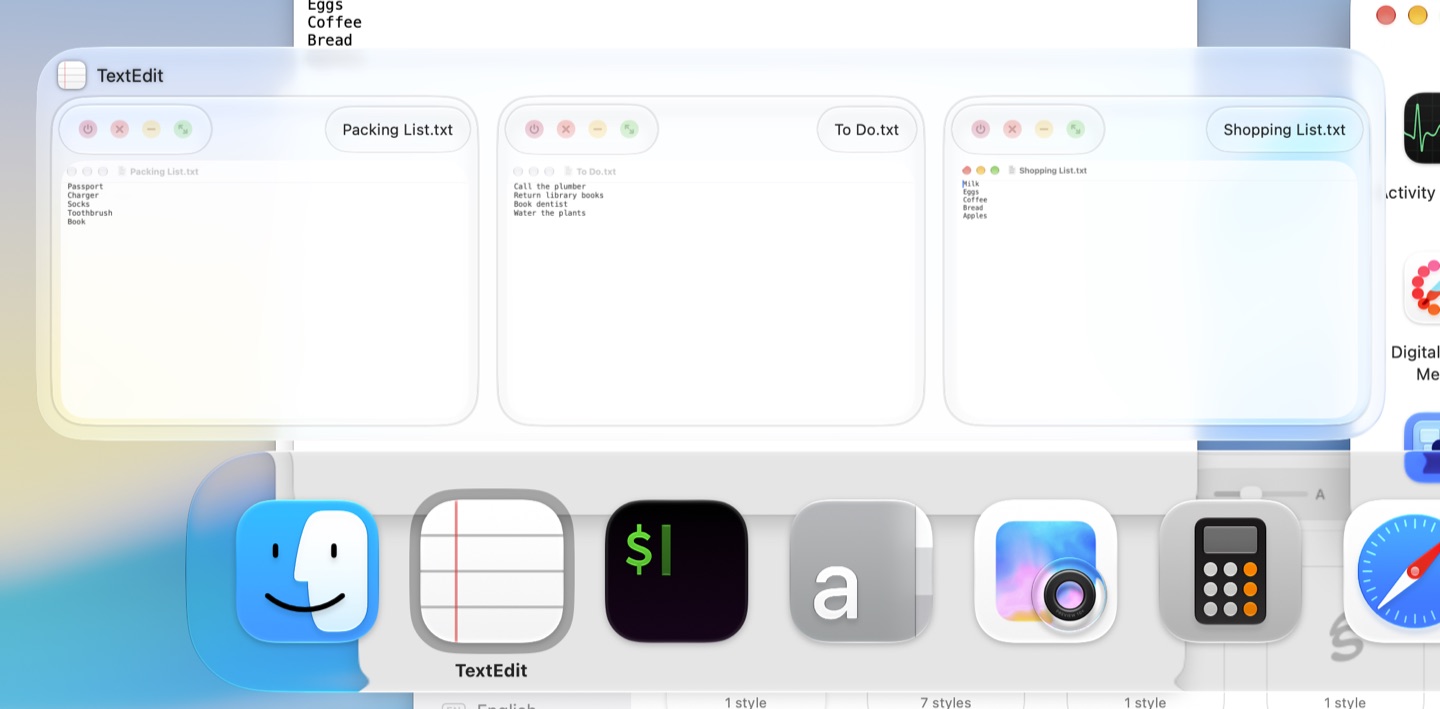
DockDoor is free and open source. Its main feature is window previews when you hover over an app in the Dock, but it also does the two things HyperSwitch users miss. When you hold Command-Tab, it shows the selected app's windows above the built-in switcher so you can pick one. Option-Tab opens a window switcher with all open windows, including ones on other desktops and displays, and minimized and hidden ones. It's actively updated (1.41.0 in October 2026).
What to know: it's built around the Dock, so the switcher is one feature among several, and you may want to turn off the Dock previews if you don't use them. DockDoor Pro is a separate paid app that replaces the Dock; you don't need it for switching.
Pick it if you want the closest free match to HyperSwitch's Command-Tab previews and Option-Tab window switcher.
AltTab (free and Pro)
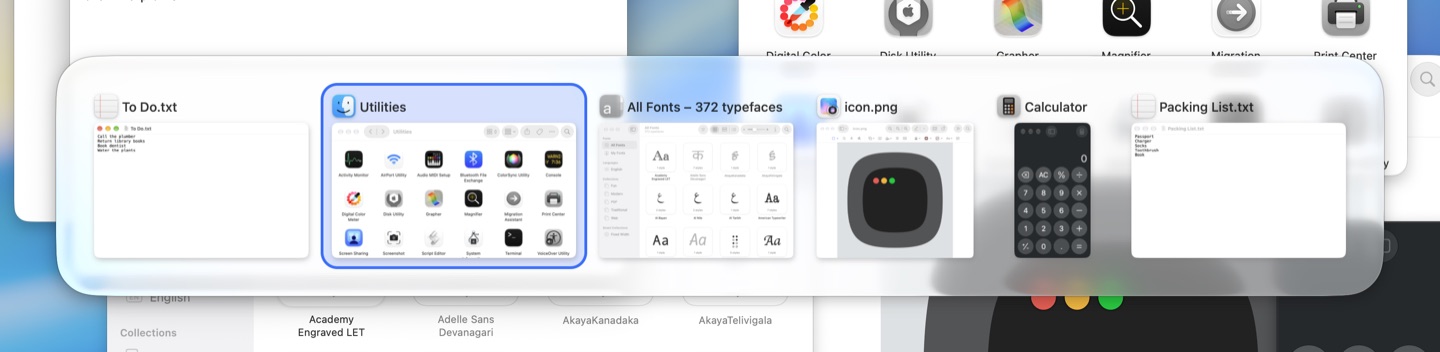
AltTab is open source and widely used. The free tier is a window switcher with live thumbnails, windows from other Spaces and screens, minimized and hidden windows, and lots of settings. It's updated often (11.10.1 in October 2026).
How it maps to HyperSwitch: AltTab covers the Option-Tab half well. The Command-Tab half is less direct. AltTab is window-first, and since AltTab 11 (May 2026) the App Icons and Titles styles, extra shortcuts with their own look, and search are in AltTab Pro ($9.99 for the current major version, or $24.99 lifetime, 3 Macs, 14-day trial). So if you want one shortcut for apps and another for windows with different views, plan on Pro.
Some users report lag or missing windows in certain setups. If you try it and run into that, see our guides on AltTab for Mac being slow and AltTab not showing all windows. For a closer look at the two apps, see fswitcher vs AltTab.
Pick it if you mainly used HyperSwitch's Option-Tab window switcher and want a free, well-supported replacement.
Command-Tab Plus
Command-Tab Plus (Noteify) replaces the system app switcher and keeps its feel. You can switch to an app by number, and press Z or ~ while the switcher is open to cycle through the selected app's windows. By default it shows only apps on the current display or Space, which helps on multi-monitor setups, and you can turn that off. It was updated in October 2026 and lists macOS 26 support.
What to know: it's app-first. Its site doesn't mention window thumbnails, so it doesn't replace HyperSwitch's Option-Tab grid. It's paid, with a 14-day trial; the price appears at checkout.
Pick it if you used HyperSwitch mostly as a better Command-Tab and don't need window previews.
Witch
Witch (Many Tricks) is a long-running paid switcher ($14 one-time). It shows apps, windows and browser tabs in a list, lets you set up as many switchers as you want with their own shortcuts, and shows a window preview on demand when you press P or the Space bar. Version 4.7 (December 2025) updated its look for macOS 26 and still supports macOS 10.13.
What to know: it's list-based, not a thumbnail grid, so it feels different from HyperSwitch. More in our Witch alternative page.
Pick it if you want deep control, tab switching, or support for an older macOS.
Others you'll see mentioned
- rcmd works differently: hold Right Command and press an app's first letter. Its thumbnail window switcher is part of rcmd Pro. Good if you'd rather learn letters than cycle.
- Raycast and Contexts are search-first. You type to find a window. Contexts' site lists Ventura, Sonoma and Sequoia, not macOS 26.
Before you switch
Two switchers listening for the same shortcut can make both behave oddly, so don't run HyperSwitch alongside your new one. Quit it, and remove it from System Settings > General > Login Items & Extensions so it doesn't open again at login. Then install the new switcher, grant its permissions, and press Command-Tab and Option-Tab to check the right app responds.
FAQ
Is HyperSwitch discontinued?
There's no announcement saying so. Its last release was 0.3.10 on February 26, 2024, and before that December 2020.
Does HyperSwitch work on macOS 26 or 27?
We found no statement from the developer and no reliable reports either way. The last release added fixes for macOS 14 Sonoma. The safest way to know is to install it from the developer's site, grant Accessibility and Screen & System Audio Recording access, and try Command-Tab and Option-Tab.
What's the closest free alternative to HyperSwitch?
DockDoor. It shows the selected app's windows on Command-Tab and has a window switcher on Option-Tab, which is the same split HyperSwitch used. AltTab's free tier is the other strong free option if you mostly used the window switcher.
Is AltTab still free?
Yes. The free tier keeps window switching with live thumbnails, other Spaces and screens, and minimized and hidden windows. Since May 2026, search, the App Icons and Titles styles and extra shortcuts are in AltTab Pro.
Is HyperSwitcher the new version of HyperSwitch?
No. HyperSwitcher is a different app from 2026 that uses a Hyper key plus a letter per app. As far as we know, it is not connected to HyperSwitch.
Can I get HyperSwitch's behavior without installing anything?
Not fully. Command-` (backtick) cycles windows of the current app, Control-Down Arrow shows its open windows, and pressing Down Arrow while the Command-Tab switcher is open shows the selected app's open windows. Holding Option while you release Command on an app in the switcher restores a minimized window, or brings up a window if the app has none. Mission Control (Control-Up Arrow) shows all open windows, but there's no built-in window switcher you cycle with a shortcut like HyperSwitch's Option-Tab. Our guide on minimized windows and Command-Tab has the exact key order.
What if I'm staying on macOS Sonoma or Sequoia?
DockDoor (macOS 13 or later), AltTab (macOS 12 or later), Command-Tab Plus (macOS 14 or later) and Witch (macOS 10.13 or later) all support those versions. fswitcher needs macOS 26.
Last checked . Versions, dates and prices are from each developer's site or release page on that date.